
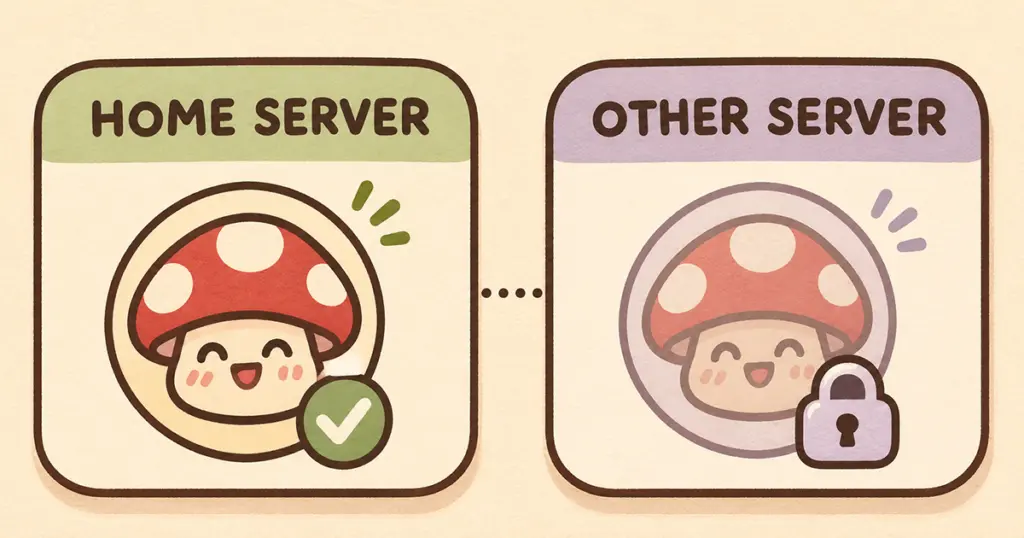
If a custom emoji works in its home server but you cannot send it elsewhere, check your account’s emoji access and the destination channel’s permissions. Buying an emote pack or uploading it to a server does not make it available everywhere automatically.
Discord lists cross-server custom emoji use as a benefit of both Nitro and Nitro Basic, wherever you have permission to use it. A subscription and a channel’s rules are separate checks.
This guide focuses on sending static custom emoji in server messages. If the image already works in one server, start with access checks before changing the artwork.
First, try the same emoji in its home server
Open the server where the emoji was uploaded and select it from the emoji picker. Then try that same emoji in the channel where you noticed the problem. Using the picker helps you avoid testing a mistyped name or a different image with a similar name.
Make a note of the result:
| What happens | What to check next |
|---|---|
| It works at home but is locked elsewhere | Check your account’s cross-server emoji access. |
| It works in some servers but not a particular channel | Ask about that channel’s external-emoji permissions. |
| A typed emoji name stays as text | Try the picker, then check access and permissions. |
| It does not work in its home server either | Ask a moderator whether that emoji is still available there. |
These checks narrow the problem; they do not identify every possible Discord fault. An emoji that fails everywhere needs a different investigation from one that works reliably in its original server.
Check which account you are using
If you have more than one Discord account, confirm that you are signed into the one with the subscription you expect. Check its current subscription details rather than assuming an old purchase or trial is still active.
Discord’s Nitro comparison lists custom emoji from other servers for both Nitro and Nitro Basic, subject to permissions. You do not need to choose a plan before checking the destination channel. If that channel does not allow external emoji, changing your subscription will not remove the restriction.
If you prefer to use the emoji only in the server where it was uploaded, the cross-server benefit is unnecessary for that use. Discord’s emoji guide explains the home-server rule and the locked entries you may see in the picker.
Check the channel where you want to send it
The relevant setting is Use External Emoji. Discord’s channel-permissions guide describes this separately from permissions for sending messages or adding reactions.
If you are a member, ask a moderator to check your access in the exact channel where the emoji fails. Being able to send ordinary messages there does not answer the external-emoji question.
For a moderator checking the report, compare the member’s effective permissions in the working and nonworking channels. Keep the test specific to the reported emoji and destination.
If the restriction is intentional, use an available server emoji or a standard emoji in that channel.
An emote download and Discord access do different jobs
A purchased pack gives you artwork files to use according to the seller’s terms. The files still need to be uploaded as server emoji by someone with the appropriate permission. The guide to adding emotes to Discord covers that separate upload task.
Once the image is working as an emoji in your server, buying another copy will not change your Discord account’s cross-server benefits or another community’s permissions. A PNG that works in one place does not need to be resized just because you cannot select it somewhere else.
If you have not uploaded the artwork yet, start with that step. Seeing an image file in your downloads is different from having it available in Discord’s emoji picker.
Give a moderator a useful report
Instead of “my emojis are broken,” send a short description with:
- The emoji’s name and the server it belongs to.
- The exact destination channel where it fails.
- Whether it works in its home server and any other channel you tried.
- Whether it appears locked, is missing from the picker, or sends as text.
If the emoji works at home, your next step is usually an account-access check or a conversation with the destination server’s moderators. Keep using the reactions already available in that channel while you work out which condition is blocking the external one.