
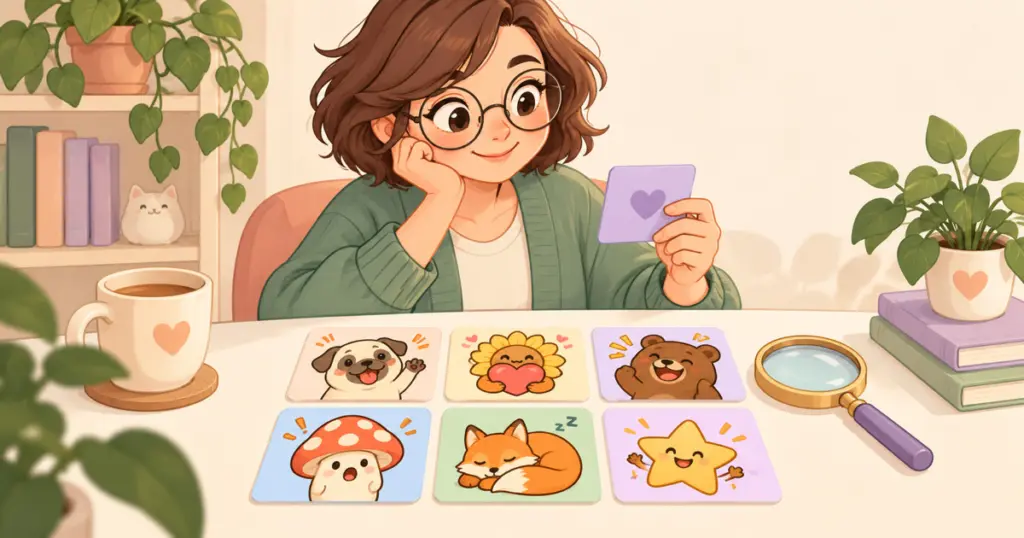
To organize Discord emojis, start with clear names and a short guide to the reactions your members use most. Then tidy the collection gradually, keeping familiar favorites easy to find. You can do this with the artwork already uploaded to your server.
The goal is simple: someone should be able to find the right expression while they are still taking part in the conversation.
Start with the questions members actually ask
“Where’s the dog holding a heart?” tells you something useful. The member recognizes the picture but does not know its name. Before adding more emoji, look at the ones people ask about, scroll past, or confuse with each other.
Make a small working list with the current name, what the picture means, and a possible change. Include familiar favorites as well as confusing uploads so you can see which names are worth keeping.
| Current name | What members use it for | Possible action |
|---|---|---|
| pack_014 | Thanking someone with a heart | Give it a descriptive name such as pug_thanks |
| anotherone2 | Reacting to an unexpected result | Choose a name that describes its surprise |
| biscuit | A familiar joke about the server’s mascot | Keep it if members already know it |
You do not need to standardize every joke. A name with a shared history can be useful; an unexplained export number gives a newcomer less to work with.
Choose a naming pattern people can remember
For a collection built around one character, a pattern such as pug_hello, pug_thanks, and pug_sleep makes the relationship easy to explain. If the collection has no shared character, plain names describing the expression may be enough.
Pick words your members use. A community that calls a reaction “cheers” may find that more natural than a formal description of the gesture. Keep similar meanings distinct: if two images are both named as laughter, consider whether one is really a chuckle and the other an uncontrollable laugh.
Discord’s emoji help page says custom emoji names must have at least two characters and contain only letters, numbers, and underscores. Check proposed names against those rules. Colons used to write an emoji code in a message are separate from the name you enter in settings.
Treat names as a convention, not a folder system
A shared prefix helps explain which reactions belong together. It does not create a folder or guarantee the same picker order on every device. Test the words people try in the emoji picker rather than relying on an assumed alphabetical layout.
Discord documents grouping custom emoji by server, and its mobile guide describes searching within the emoji picker. Use that existing browsing and search experience when checking whether your choices are understandable.
Change a few names and show members where they went
Start with a handful of unclear names. If you are not the server owner, work with someone who has permission to manage the collection. Discord’s emoji help page covers expression permissions, including editing existing emoji.
After a change, post the old and new names together with the actual emoji. That gives regulars a way to connect the name they remember with the one they will now see. Avoid renaming every popular reaction in one session just to make the collection look uniform.
For emoji used in a bot message or a role-selection setup, check that setup before making changes and test it afterward. Different tools can refer to emoji differently, so a general naming cleanup should not assume how every integration works.
Give newcomers a short emoji guide
Choose a few reactions that help people join everyday chat: a greeting, a thank-you, an expression of surprise, and a favorite community joke. Show each emoji beside its name and one short explanation of when people use it.
Put the guide somewhere members already visit, such as an existing welcome or information channel. A small introduction is easier to keep current than a separate page documenting every image you have ever uploaded.
Ask a member to try a realistic task: “Find the reaction you would send when someone helps you.” Watch whether the difficulty is the name, the picture, or finding the guide. Those need different changes.
Keep seasonal additions manageable
Record the names and original download location of temporary holiday emoji. Before removing anything after an event, ask whether it has become an everyday favorite. A pumpkin reaction may have started as a Halloween addition and acquired its own meaning in your group.
Keep a note of what you decide to retain, review, or remove. Do not delete an emoji merely because you have not personally seen it used; ask the members or moderators who spend time in other channels first.
When you add artwork later, name it before introducing it to the group. The Discord section of the emote upload guide covers getting the files into your server. If you are considering another pack, the emote-pack buying guide can help you identify reactions your current collection does not already cover.
A useful first cleanup can be modest: replace a few export filenames, explain the changes, and publish a short guide. Leave the names people already understand alone until there is a reason to change them.