
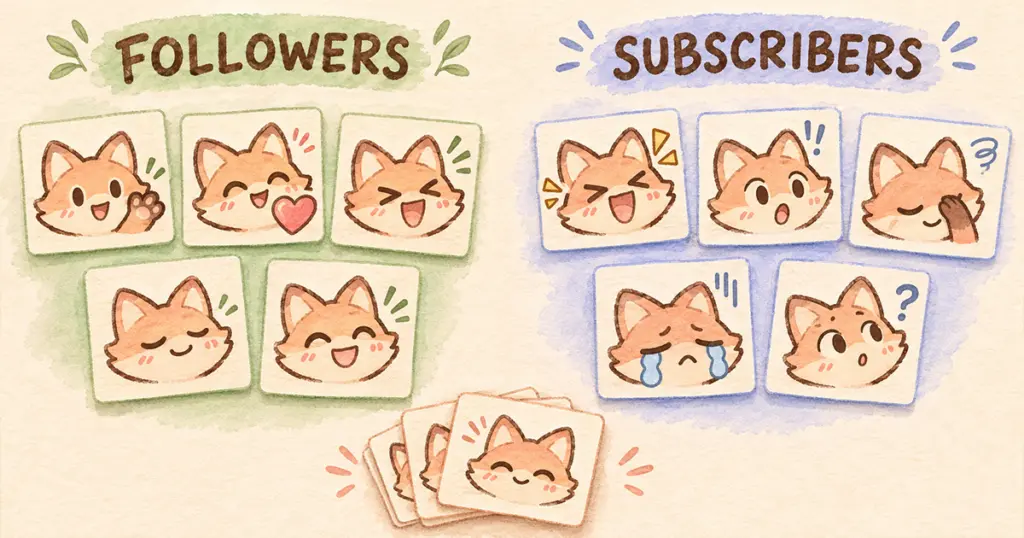
Use follower slots for reactions you want non-subscribing followers to join in with, then give subscriber tiers useful additions that suit your community. Start with the slots available in your dashboard and choose a purpose for each reaction before uploading the whole pack.
The difficult part is deciding who should be able to use a familiar greeting, celebration, or running joke. Moving an emote can change that access even when the artwork stays the same. A collection with several similar happy faces also leaves you with a choice: activate all of them, or make room for a reaction your chat is missing.
This guide works through those decisions for Twitch Affiliates and Partners using finished emote artwork. You can apply the plan to a pack you already own.
Follower vs subscriber emotes: who can use them?
Follower emotes are unlocked by following a channel. Followers without a subscription use them in that channel; subscribers who also follow can use them across Twitch. Subscriber emotes are unlocked according to subscription tier. Twitch explains these distinctions in its guide to using emotes.
| Emote assignment | Normal access through following or subscribing | Planning implication |
|---|---|---|
| Follower | A follower can use it in your channel; a subscriber who follows can also use it elsewhere on Twitch. | Suitable for shared reactions you want followers to join in with. |
| Tier 1 | Available with a Tier 1 subscription and included in higher tiers. | Build a useful set of subscriber additions here. |
| Tier 2 | Included with Tier 2 and Tier 3 subscriptions. | Choose an extra that makes sense alongside the lower tier. |
| Tier 3 | Included with a Tier 3 subscription. | Reserve a distinctive addition for this tier. |
Higher tiers include the emotes from lower subscription tiers, as Twitch documents in its subscription benefits guide. These are the normal follow and subscription routes; other unlocks, such as Bits rewards, have their own rules.
Two details change how you should plan. First, a subscriber does not need a duplicate subscriber-slot version of a follower emote just to use it outside your channel. Second, subscribing without following does not unlock the follower set: the Follower Emotes FAQ says the viewer must follow too.
Take stock of slots, artwork, and existing favorites
Open Creator Dashboard → Viewer Rewards → Emotes and record what is available in each group. Twitch supports up to five follower emotes for Affiliates and Partners. For subscriber tiers, work from your own dashboard rather than assuming that a pack’s image count matches your active capacity.
Keep these three things separate:
- Downloaded artwork: The files you own and can select from.
- Library: Emotes stored in Twitch, including artwork you have not activated.
- Active assignment: The follower or subscriber group in which an emote is available, once approved.
Uploading into the Library alone does not activate an emote. Twitch’s Subscriber Emote Guide explains the distinction and the dashboard controls.
For an existing channel, add each current code and assignment to your notes. Mark the reactions people recognize or ask for. An emote that already means “we finally beat it” has a different value from another cheerful face you have never introduced.
If you are starting from an empty lineup, use the activities you actually broadcast as the starting point. A co-op channel might need a shared victory reaction; a quiet craft stream might have more use for a watching or thinking expression. You do not need to invent a running joke before the community has one.
Choose the audience for each reaction
Make a shortlist of situations, then pair them with finished images. The question is more precise than “Which drawings do I like most?” You are deciding which conversation a particular group of viewers can join.
| Situation in chat | A useful candidate | Decision to make |
|---|---|---|
| People greet each other at the start | Wave or hello | Should every follower be able to use your familiar greeting? |
| The group finishes a difficult round | GG or celebration | Is this a shared group response or an extra subscriber expression? |
| Someone makes a harmless mistake | Laugh or facepalm | Do these express different reactions, or would one cover both? |
| Viewers settle in for a quiet segment | Relaxed face, sip, or watching reaction | Which image makes sense without an explanation? |
| A recurring joke comes back | A related expression from your collection | Does the joke have an audience yet, and where should it be available? |
For each candidate, write a sentence such as “Followers can use this when the whole group wins a match.” If you cannot name a likely moment, leave it in reserve while you fill clearer needs.
A follower set can carry the common language of your channel. Subscriber additions can offer a more specific mood, an alternative response, or a familiar joke. Give each addition a job rather than placing all the recognizable reactions behind higher tiers or treating follower slots as somewhere to put leftovers.
There is no platform rule that says a heart must be free or a celebration must be subscriber-only. Those are editorial choices. If your current subscriber heart is a favorite, preserving that arrangement may matter more than matching someone else’s suggested lineup.
A worked lineup for a small co-op channel
Suppose your dashboard has five follower places, five available Tier 1 places, and one available place in each higher tier. This is the capacity assumed for the example, not a requirement to fill every slot or a promise about every account.
Your streams alternate between friendly co-op games and relaxed conversation. Followers should be able to greet people, respond warmly, and celebrate together. Subscribers get additional ways to react to suspense, surprises, and mistakes.
| Assignment | Finished reactions selected | Why these belong together |
|---|---|---|
| Follower: five emotes | Hello, heart, laugh, GG, relaxed smile | Covers arrival, kindness, jokes, shared wins, and quiet company. |
| Tier 1: five emotes | Hype, gasp, facepalm, RIP, popcorn | Adds excitement, surprise, embarrassment, mock defeat, and watching a tense moment. |
| Tier 2: one emote | A triumphant mascot pose | Gives supporters an extra victory expression while the basic GG stays shared. |
| Tier 3: one emote | An expression tied to an established channel joke | Adds something specific for viewers who recognize the reference. |
| Reserve | Alternative happy faces, extra food reactions, seasonal images | Keeps options available without making several active images do the same job. |
Here, GG acknowledges the group’s result, while Hype expresses anticipation or excitement. If viewers use both for exactly the same moment, you could replace one with a missing reaction. The labels alone do not prove that two emotes have different uses.
The joke in Tier 3 is also conditional. If your community has no suitable reference, choose another genuinely useful expression or wait. A higher-tier slot does not create a reason to invent an exclusive joke nobody understands.
For a quieter channel, change the situations before changing the artwork. GG could become a thinking or noted reaction if it is rarely relevant to what you stream. Popcorn might be useful during story games and less useful during a calm reading session. Keep the choices connected to your broadcasts.
If you are evaluating an existing pack, look through its actual expressions rather than assuming it contains every item in this example. Pinicon’s Red Mushroom Emotes listing, for instance, identifies HI, heart, RIP, sleepy, and popcorn reactions among its finished PNGs. Those could fill several roles in a plan; the remaining choices should come from the artwork you have. For an earlier shopping decision, use the emote-pack buying guide.
Avoid spending two slots on the same job
A waving emote in the follower set and a second wave in Tier 1 might be worthwhile if people use them differently. One could be an ordinary hello and the other an exaggerated greeting associated with your stream. If they are interchangeable, a different Tier 1 reaction would add more range.
Remember the cross-channel access rule before duplicating artwork solely for subscribers. A viewer who follows and subscribes already has access to your follower emotes elsewhere on Twitch. You may be solving a problem that does not exist.
Codes also need checking when you activate alternatives. Twitch’s Library and reward management documentation says two emotes with the same name cannot both be assigned to active slots. Record the full code you intend viewers to use, not just a file number or a description such as “happy fox.”
Moving an established subscriber emote to the follower group is a deliberate access change. Followers gain its use in your channel, while subscribers need to follow to unlock that follower emote. Explain the change before making it, especially if you have previously described that reaction as a subscriber benefit.
Roll out the lineup and test viewer access
Prepare a short assignment list containing the image, full code, intended group, and any old assignment you are replacing. This gives you something to compare with the dashboard after the change.
- Select the chosen emotes and assign them to the intended groups. For follower assignments, use the Follower option in Slot Assignment.
- Check approval status before announcing new uploads. An assigned image that is still pending is not ready for viewers.
- Compare every active code and group with your list, including favorites that were supposed to stay where they were.
- Introduce a few reactions during the situations they suit, giving the exact codes and explaining who can use them.
For a temporary removal, Remove from Slot retains the image in the Library; Delete from Library removes it permanently. The Library documentation linked above covers both actions. You can also retain unused files locally without uploading the rest of a large collection. The upload guide covers choosing the platform files.
Use willing viewers who already have the relevant access to check the result. The channel owner’s account cannot establish what an ordinary follower sees. Nobody needs to purchase a higher subscription just to help test your lineup.
| Viewer state | Check to make |
|---|---|
| Follows, no subscription | Can use the follower set in your channel. |
| Follows and has Tier 1 | Can use follower and Tier 1 emotes; can use those unlocked emotes outside your channel too. |
| Has a higher subscription tier | Sees the intended additions as well as the lower subscription tiers. |
| Subscribes but does not follow | Can use the subscription set; following is still required for the follower set. |
If an emote is missing, compare its actual assignment and approval state with the viewer’s follow and subscription status before replacing the image. A different PNG will not resolve an access mismatch.
Review use without rebuilding the whole collection
Let viewers encounter the lineup in several relevant broadcasts before judging a reaction. A defeat emote getting little use during a successful evening does not show that the artwork has failed. Look for repeated confusion, reactions people ask for, and pairs that seem to fill the same need.
Change one weak choice when you have a reason, and keep a note of the previous code and group. If you move several favorites and rename them all together, it becomes harder to tell whether viewers disliked the new images or simply could not find the old ones.
For seasonal changes, use a separate Christmas emote swap plan so a temporary experiment does not silently become the permanent lineup. Keep this allocation sheet for ordinary streams: it should show which reactions your community shares, what each subscriber tier adds, and which finished images are waiting for a useful role.